Software development methodologies: How to build & when to use
Teams have debated and reinvented software development methodologies for decades—Agile versus Waterfall, Scrum versus Kanban, “process” versus “just ship it.”
But most modern engineering, product, and design (EPD) teams aren’t just arguing theory. Instead, they’re asking how they can create alignment, move faster, and make better decisions without drowning in process.
That’s where methodologies stop being abstract ideas and instead become real tools for how teams work. Breaking down what software development methodologies actually are, why they matter, and how teams can design ones that work can help you create living systems that support real work instead of slowing it down.
What are software development methodologies?
Software development methodologies are end-to-end approaches that guide how teams plan, build, test, and ship software. They shape everything from how you prioritize work to how you make decisions when trade-offs inevitably appear.
Many people confuse methodologies with frameworks, but the two concepts differ. Here’s how:
Methodologies define the philosophy, principles, and process behind how work should happen.
Frameworks are the execution layer—the concrete rituals, artifacts, and workflows that development teams use day-to-day.
For example, Agile is a methodology, while Scrum is a framework that helps your team practice Agile. Kanban is another Agile framework, and Waterfall is both a methodology and a highly structured process.
This distinction matters because teams rarely fail due to choosing the “wrong” framework. They instead struggle when they never clearly defined or documented the underlying methodology—or the shared understanding of why and how they work. This goes on to inhibit effective teamwork.
When that happens, teams start following the process without understanding it. As a result, meetings pile up, tools sprawl, and a shared understanding of what to prioritize slowly slips away.
Why do software development methodologies matter for modern teams?
For EPD leaders, methodologies are about outcomes. A well-designed methodology can help you do the following:
Align around shared principles to ease collaboration and minimize debates over process
Balance speed, quality, and predictability by making trade-offs explicit rather than accidental
Move faster and reduce rework by keeping knowledge, work, and decisions visible across tools and teams
Avoid process debt as you scale so rituals and documentation evolve without constant rewrites
Without a shared system, even the best methodologies struggle. When you have specs scattered across tools, decisions buried in Slack, and misaligned roadmaps, engineers may implement features without full context and designers might solve yesterday’s problems instead of today’s. A strong methodology, however, bridges these gaps to keep teams coordinated and focused on the work that matters.
3 common software development methodologies—and when to use them
Choosing a product development methodology requires understanding the type of work that your team does. To figure this out, you can ask practical questions like, “How often do we ship?” “How many dependencies exist across teams?” and “How fixed are our timelines or requirements?” The answers usually point toward a methodology, but rarely a textbook version.
Many modern teams solve this issue by combining approaches. For instance, they might plan quarterly roadmaps using Waterfall-style thinking, run two-week Scrum sprints for feature development, and manage operational work with a Kanban board.
Below are three of the most common software development project methodologies, what they’re good at, and how you can modify them to fit real-world workflows:
1. Agile methodologies: Scrum, Kanban, and continuous iteration
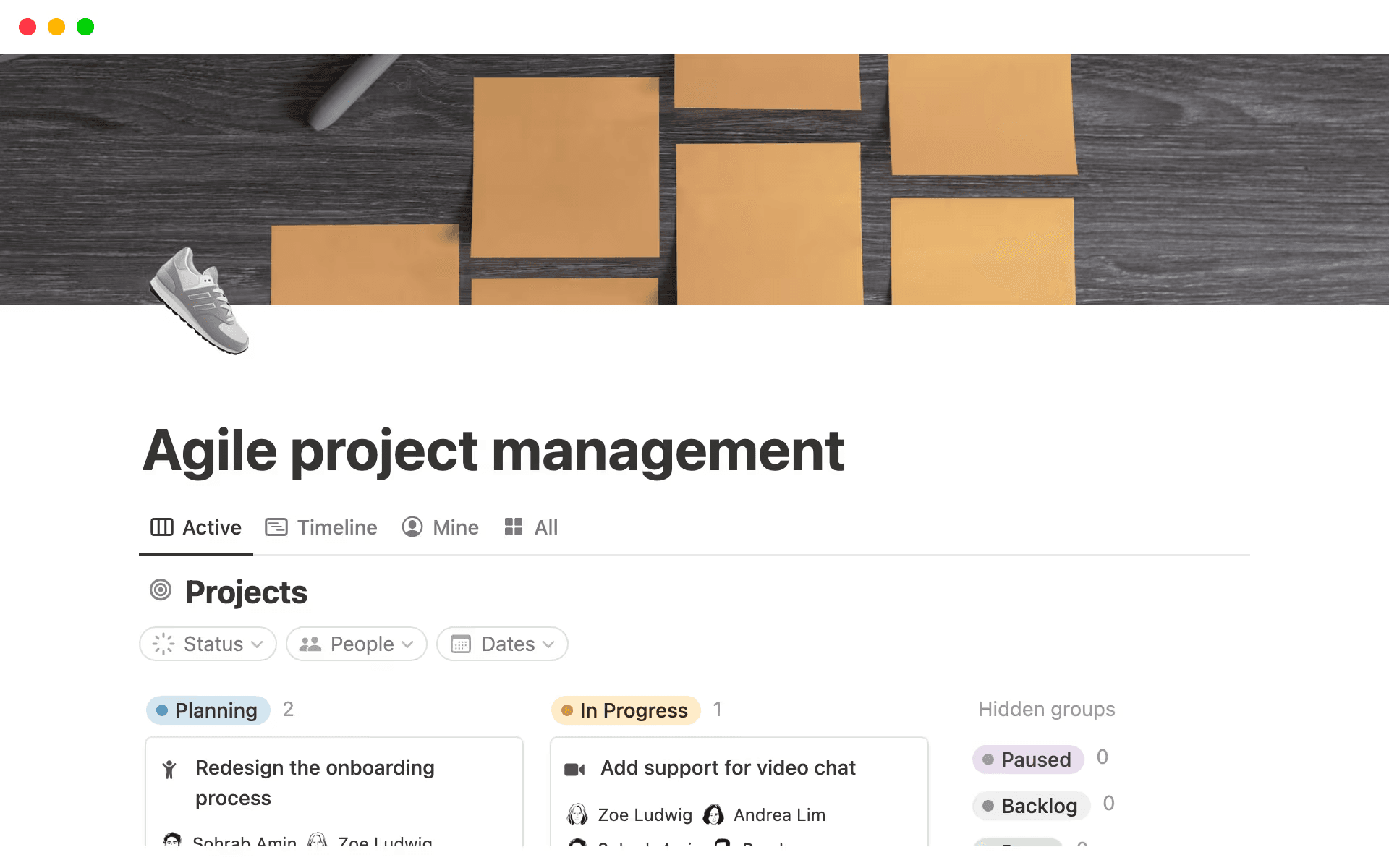
A Notion Agile framework template (Source)
The Agile project management methodology (and its popular frameworks, Scrum and Kanban) focuses on short customer feedback loops, incremental delivery, and frequent reassessment. It breaks work into smaller projects with regular rituals—like planning, standups, reviews, and Agile retrospectives—to help teams inspect and adapt.
For product-led teams, Scrum is appealing because it creates a predictable delivery cadence while leaving room for responding to end-user feedback. It’s also easy to adapt by simplifying rituals or combining sprint planning with roadmap reviews, especially when your documentation lives in a shared workspace instead of separate tools. But for more complex projects, feature-driven development provides another iterative framework that emphasizes building small, high-quality software features that meet client needs.
When these work well:
Moving quickly in product environments
Shipping frequently
Navigating uncertain or changing requirements
Common pitfalls:
Treating Scrum ceremonies as box-checking exercises
Over-optimizing for velocity instead of outcomes
Losing long-term context between sprints
How to approach Agile in Notion: You can use Notion to centralize your sprint planning, backlog grooming, and retrospectives while keeping docs, tasks, and decisions organized and connected. Agile templates and Scrum boards can also help you standardize rituals without locking into rigid workflows.
2. Waterfall methodology: Structured, sequential delivery
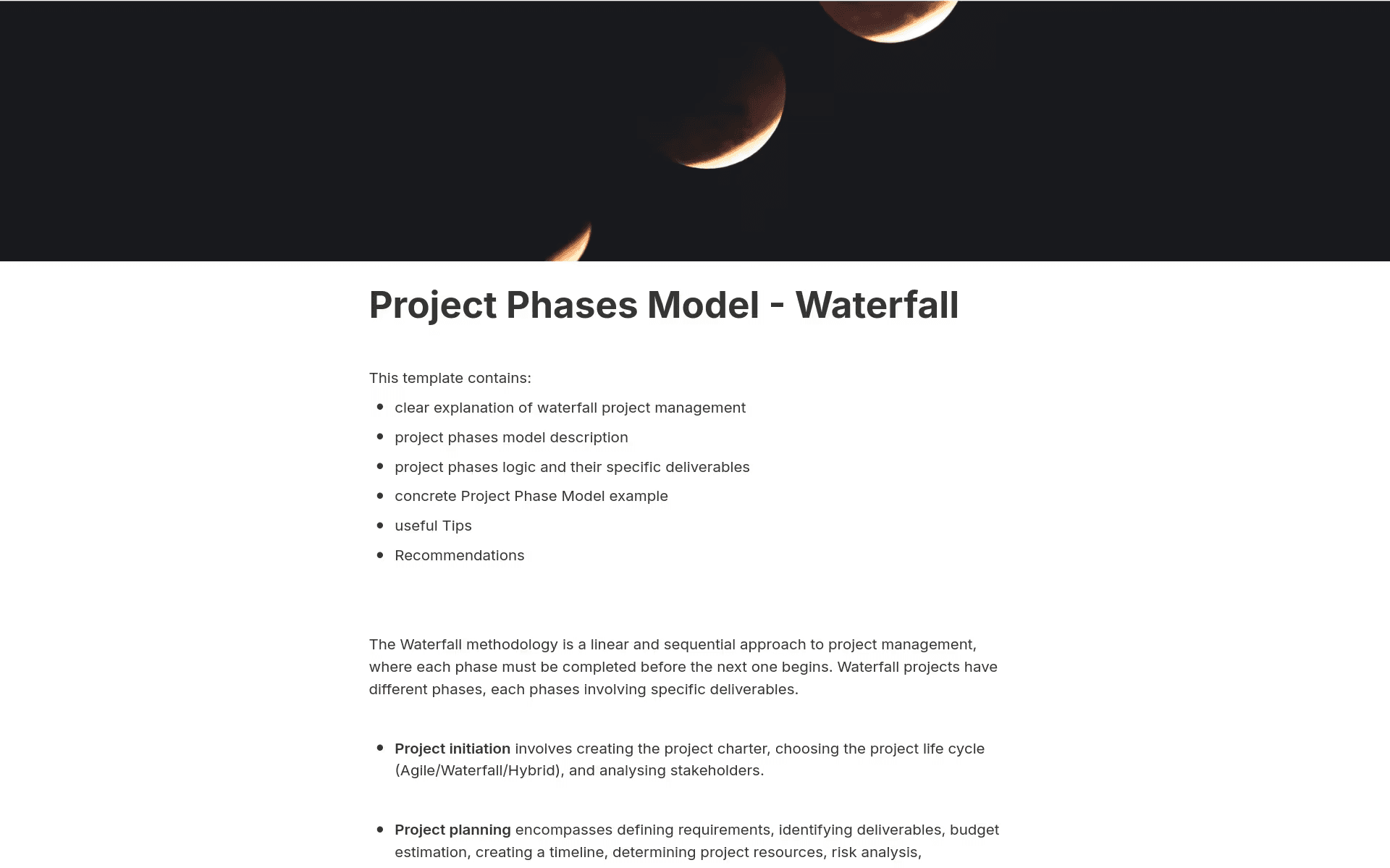
A Notion Waterfall project phases model template (Source)
The Waterfall methodology emphasizes up-front planning, defined phases, and detailed documentation before execution begins. While some see it as outdated, this structure still plays an important role when you have complex projects, environments with fixed requirements, and situations that require up-front risk analysis.
Few modern teams operate in pure Waterfall, though—they instead favor a blend of Waterfall planning with Agile principles and execution. These hybrid models define scope and milestones up front, then deliver incrementally with frequent check-ins and course corrections.
When it works well:
Operating in regulated industries
Managing large, cross-functional initiatives
Executing fixed-scope projects with clear requirements
Common pitfalls:
Rigidly following structure that resists change
Making flawed early design decisions that create high risk
Relying on pure Waterfall instead of combining with iterative practices
How to approach Waterfall in Notion: Structured documentation is the backbone of the Waterfall model. To this end, you can use Notion to maintain requirements, design specs, review checkpoints, and approval histories in one place. This ensures alignment across all phases and supports risk management while keeping context visible.
3. Hybrid methodologies: Combining predictability with flexibility
Hybrid development approaches borrow Waterfall’s structure and Agile’s adaptability. For example, you might conduct quarterly planning with sprint-based execution or set fixed milestones with flexible implementation paths.
These methodologies’ popularity is growing. According to the latest data from the Project Management Institute, hybrid approach adoption has increased by 57.5 percent over three years, largely due to its adaptability.
When it works well:
Scaling your business
Completing platform or infrastructure work
Transitioning from Waterfall to Agile
Common pitfalls:
Managing increased complexity from running two methodologies in parallel
Allowing an iterative approach to lead to scope creep
Losing clarity between long-term plans and short-term execution
How to approach Hybrid in Notion: You can use Notion to model high-level phases alongside flexible sprint boards and link long-term plans to day-to-day execution. This allows you to connect milestones, sprints, and tasks in a single workspace, which reduces duplication while supporting structure and adaptability.
What makes a software development methodology effective?
The most effective methodologies reduce cognitive load and make it clear what’s happening, why it matters, and what comes next without forcing team members to jump between tools, reinterpret documentation, or rely on institutional memory. But without strong documentation, shared definitions, and continuous feedback loops, even the best methodology can break down.
At a practical level, a software development methodology’s strength comes down to these foundational elements:
Shared definitions, rituals, and ownership
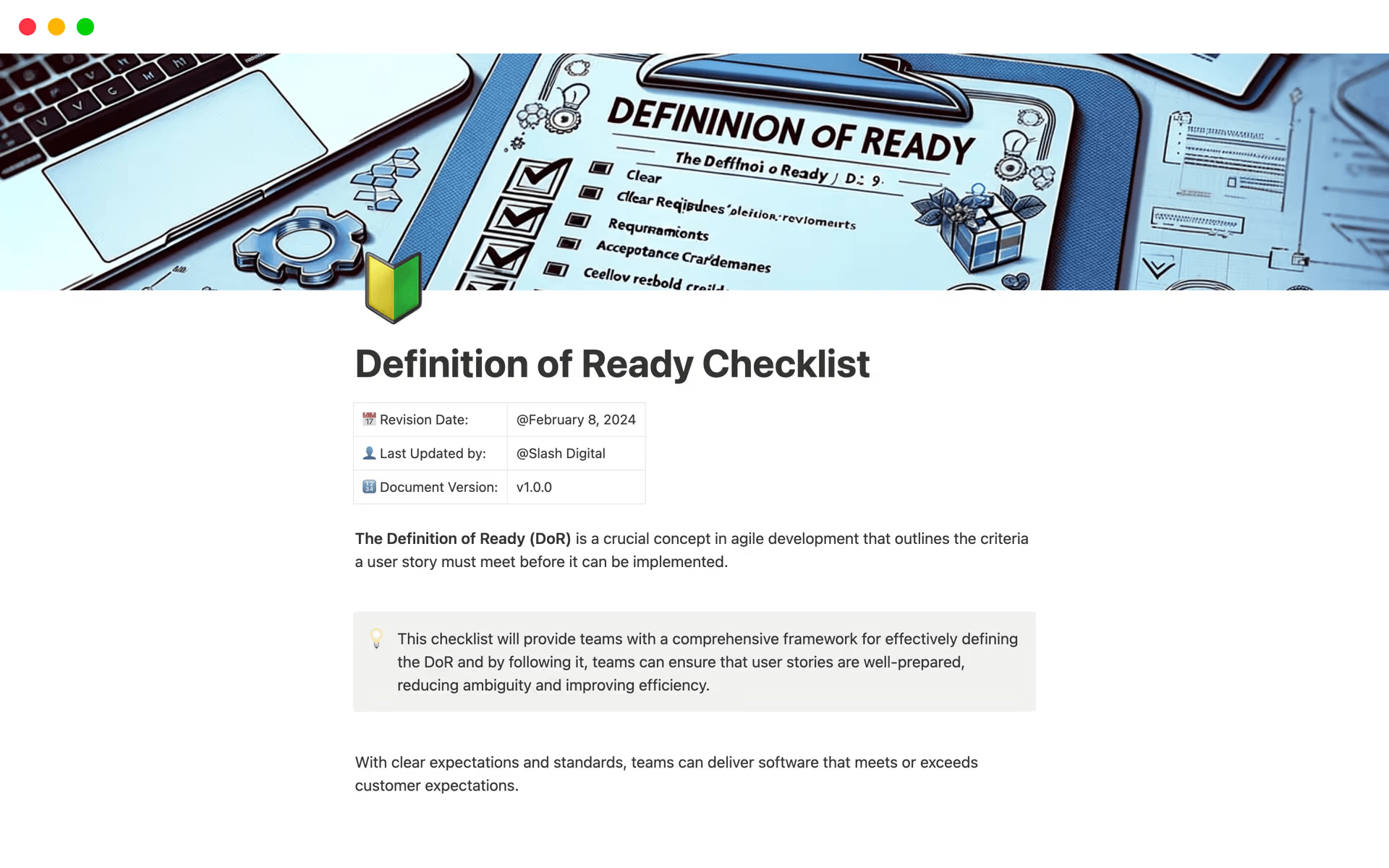
A Notion Definition of Ready checklist template (Source)
Teams often use the same words, but not always in the same way. For instance, “ready,” “blocked,” “priority,” and “done” can mean very different things depending on who you ask.
Effective methodologies make these definitions explicit by outlining what each stage of work represents, the necessary inputs to move forward, and the outcomes that signal completion. They also set the standards for what makes a high-quality product. Rituals like sprint planning or backlog reviews then reinforce these definitions to create a rhythm that teams can rely on.
Documentation that stays connected to execution
According to a 2025 report by BetterCloud, organizations use an average of 106 different SaaS applications. When specs live in one tool, tickets in another, and decisions in someone’s notes, for instance, teams lose context and rehash the same conversations.
To counter this issue, well-structured methodologies treat documentation as part of one connected system where requirements, design context, technical decisions, and retrospectives live alongside the work they inform. This ensures that everyone, especially cross-functional teams, has access to the same source of truth.

Helpful Resource
To learn how to create clear documentation from the start, check out our ultimate guide to process documentation and these documentation templates for engineering teams.
Visibility across roadmaps, sprints, and decisions
Real-time visibility is what turns a methodology from theory into practice. After all, teams need to see how daily tasks connect to larger goals and how short-term decisions impact long-term plans.
To this end, a strong methodology provides consistent views across these areas:
Roadmaps and strategic goals
Backlogs and sprint plans
In-progress work and shipped outcomes
When you build visibility into the system like this, updates will happen naturally.
Adaptability as teams and codebases grow
As teams scale, maintaining a consistent software development process becomes more difficult since docs quickly go out of date, backlogs get noisy, and small process gaps turn into major inefficiencies.
To fix this, an effective methodology evolves alongside your team and allows you to add structure—like more detailed planning, clearer ownership, or additional documentation—without starting from scratch. It should also make it easy to experiment, learn, and adjust processes based on what’s working.
Tools like Notion AI can also make your methodologies more useful by summarizing discussions, standardizing documentation, surfacing patterns, and reducing time-consuming manual upkeep. That way, instead of adding steps to your software development lifecycle, you can maintain clarity with less effort.
How to design and implement a software development methodology in Notion
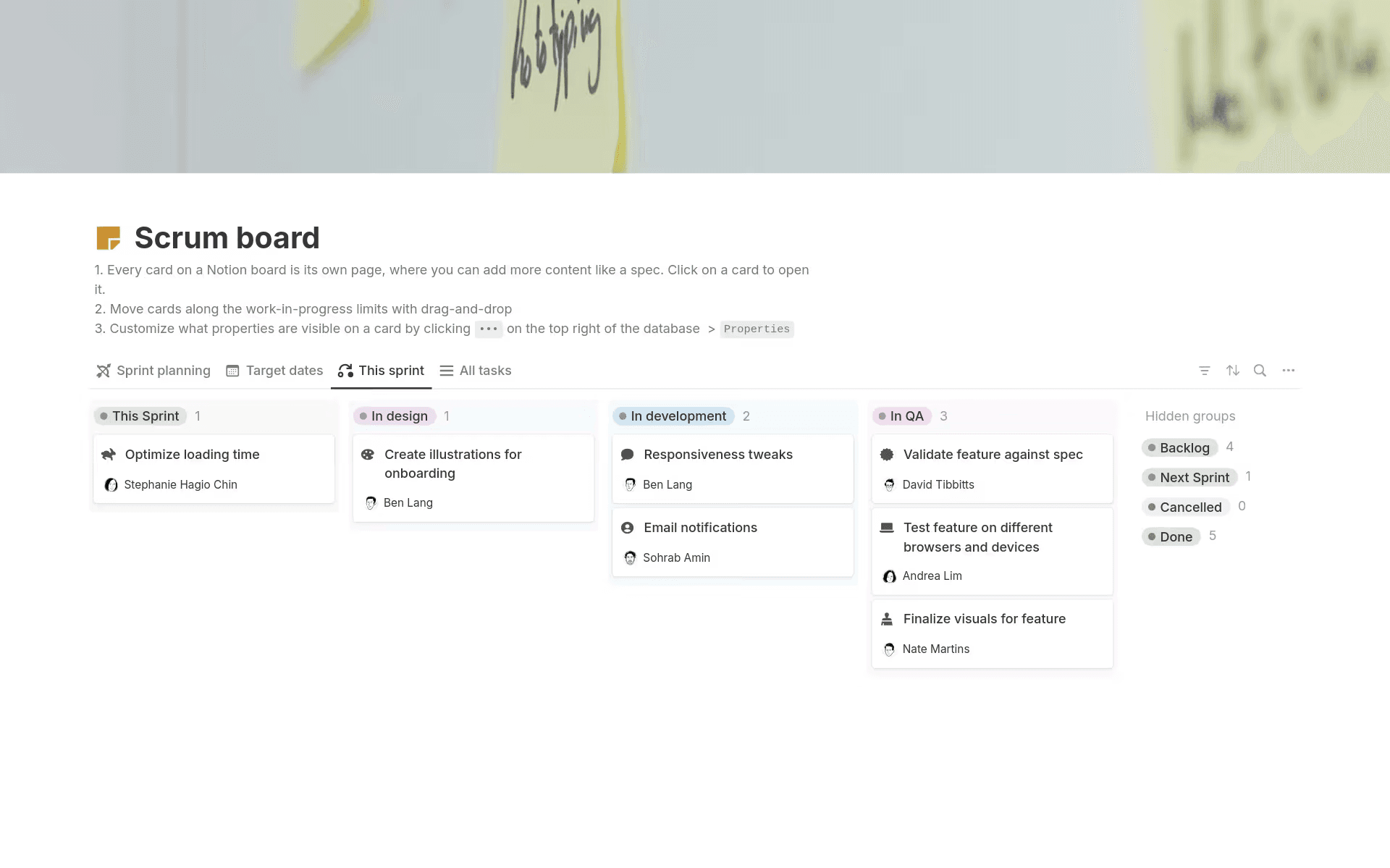
A Notion Scrum template for software development (Source)
The best methodologies and frameworks combine existing rituals, tools, and workflows to refine what’s already working. Below is a five-step process that you can use to create a shared, repeatable process for your team to follow:
1. Map your team’s existing rituals, pain points, and tools
To start, document these items:
Planning rituals (like standups, sprint planning, and reviews)
Tools that EPD teams use
Places where information goes missing or teams duplicate it
In Notion, you can create a simple workspace page to capture this map and turn implicit knowledge into shared context.
2. Define your core workflow
Next, outline how work moves through your system. Here’s a simple example:
Idea → Backlog
Backlog → Sprint or flow
In progress → Review
Shipped → Learned
Modeling this workflow in a Notion database lets you reuse it across projects without forcing every team into the same view.
Check out the video below to learn more about Notion databases and how to set one up:
Uh-oh! It looks like your ad blocker is preventing the video from playing.
Please watch it on YouTube

3. Create shared documentation patterns
Since consistency matters more than perfection, you should define patterns for these key deliverables:
Product requirements
Design handoffs
Technical specs
Retrospectives
Notion’s template library 30,000 templates, makes it easy to repeat patterns while still allowing for customization.
4. Connect your roadmap, backlog, and sprints
You should also connect your roadmap, backlog, and sprints in a single workspace so all elements reference the same data instead of pulling roadmaps from slides, backlogs from Jira, or sprint plans from notes.
Notion can also help you keep project trackers stay up to date automatically since updates flow from roadmap to sprint board whenever something changes.

Template
Ready to create your own project roadmap? Try one of our free roadmap templates.
5. Maintain continuous improvement using AI insights
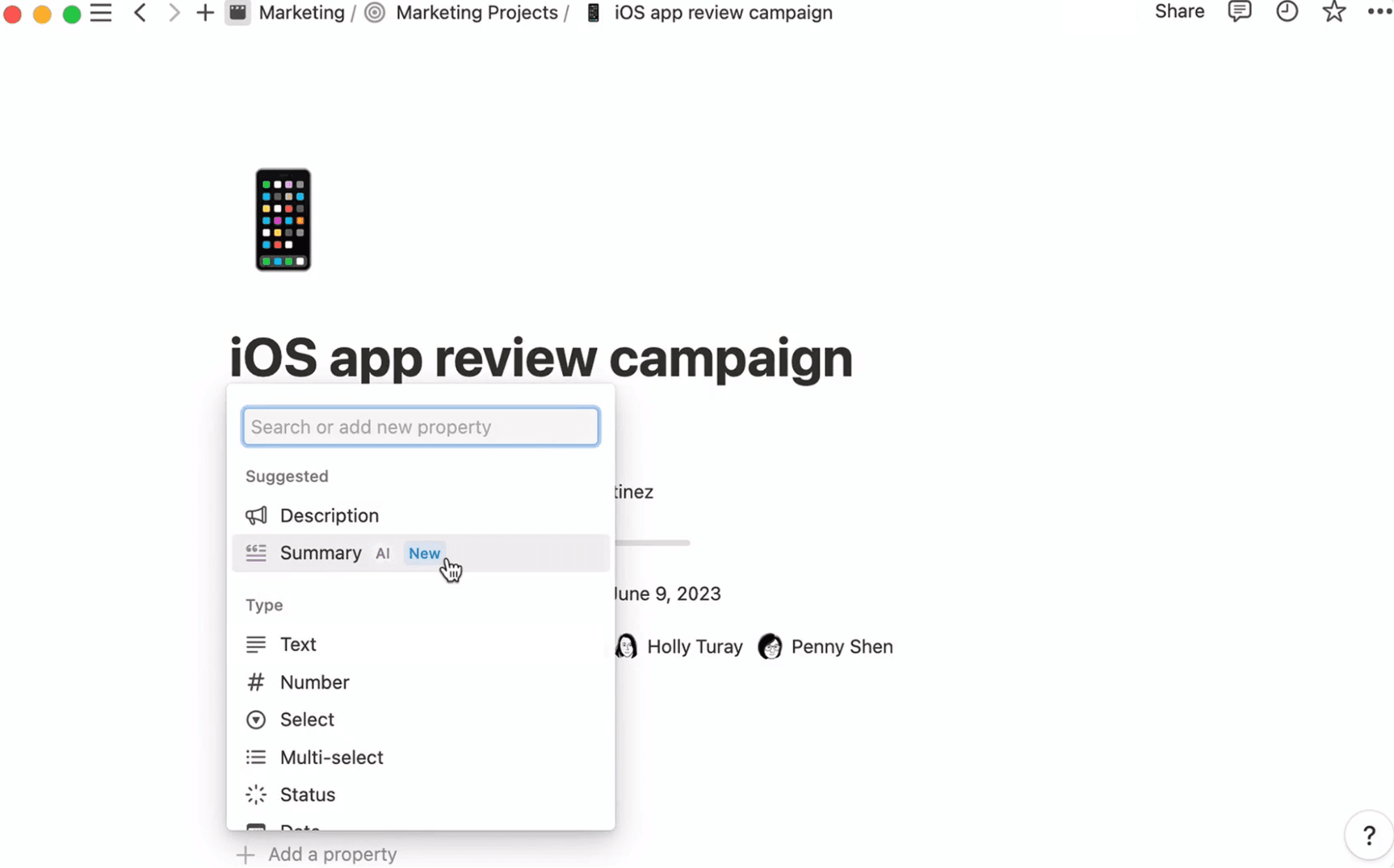
A screenshot that shows how to generate an AI summary in Notion (Source)
To make your methodology more adaptive, you should provide just enough structure to support decision-making while leaving room to adapt as priorities shift. You can then use AI to accomplish these tasks:
Summarize sprint retrospectives
Identify recurring blockers
Highlight gaps between plans and delivery
Using automation to update your plans, documentation, and rituals instead of staying static turns your methodology into a system that continually learns from real outcomes.
Using Notion AI to strengthen your software development methodologies
AI is most effective when you embed it into everyday workflows. While it doesn’t replace decision-making, it does help you focus on higher-value work by handling the repetitive, organizational tasks that project methodologies depend on.
Here’s how you can use Notion AI to strengthen your product development process at every stage:
Turn raw notes into structured engineering docs
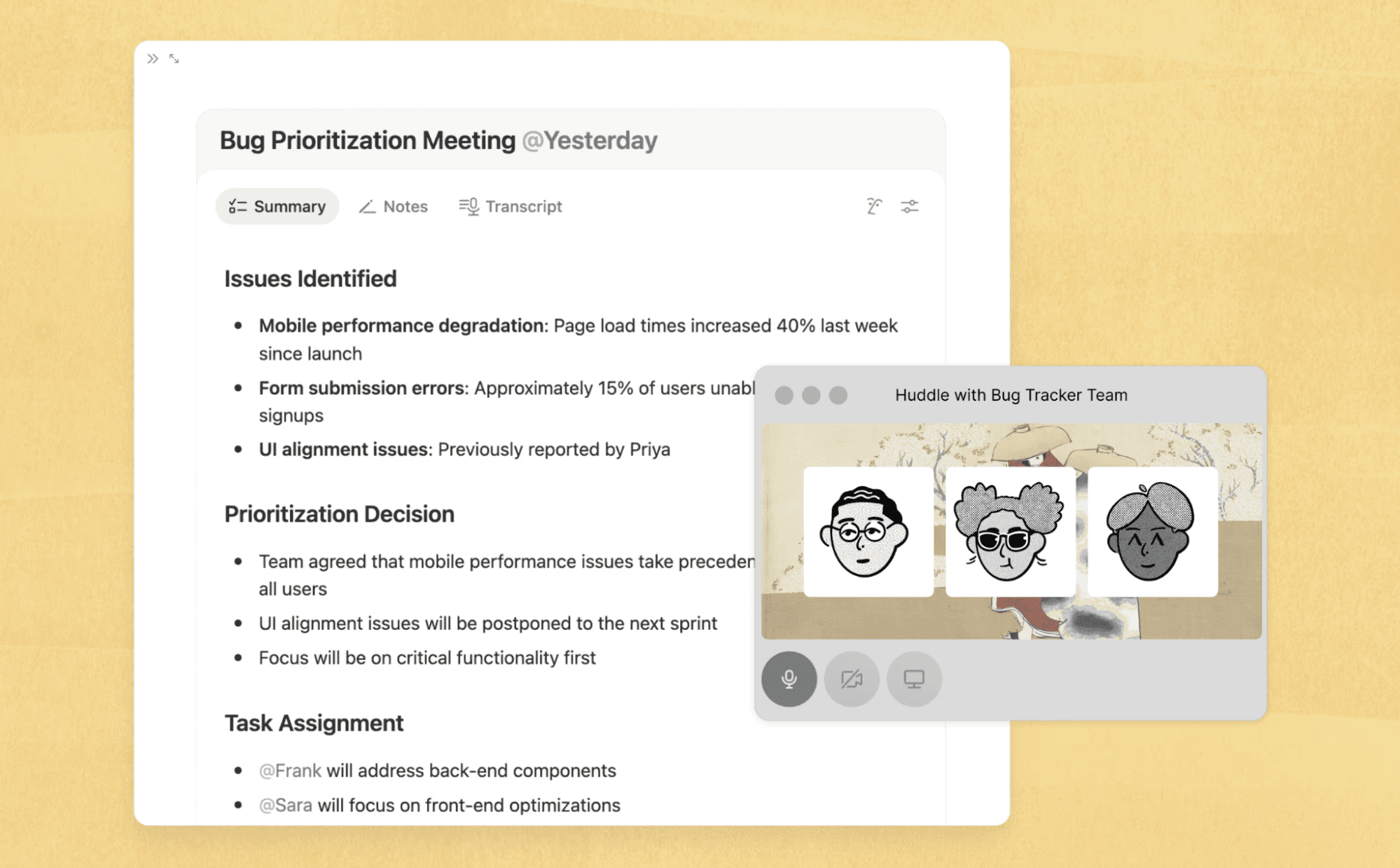
Notion AI Meeting Notes turn call notes into a summary with task assignments. (Source)
Design reviews, planning meetings, and incident debriefs generate valuable but messy notes. To help with this, you can let Notion AI translate these into the following items:
Product requirement document drafts
Technical design docs
Decision summaries with clear trade-offs
Action items that tie directly to owners
For example, after a sprint planning meeting, you can drop notes into Notion and ask AI to create a structured spec or sprint summary. This keeps documentation lightweight and current rather than something to clean up later.
Triage, deduplicate, and organize your backlog automatically
Backlogs grow quickly as feature and functionality requests, bugs, tech debt, and experiments pile up—often with overlapping or unclear intent.
To help with this, you can use Notion AI to do these things:
Cluster similar backlog items.
Identify duplicates or stale requests.
Auto-tag work by theme, impact, or team.
Summarize long descriptions into scannable summaries.
Doing this allows you to quickly see patterns across requests and thus allows your engineers to spend more time building.
Keep your roadmap and sprints aligned with strategy
One of the hardest parts of any project management job is keeping long-term strategy and short-term execution in sync. That’s because roadmaps change, priorities shift, and sprint plans don’t always reflect the latest direction.
To solve this issue, Notion AI can help you with these tasks:
Summarizing sprint work against roadmap goals
Highlighting mismatches between planned and executed work
Generating stakeholder-friendly progress updates
Overall, AI support makes it easier to course-correct early instead of dealing with misalignment down the line.
Maintain methodology consistency as your team scales
As teams grow, methodologies and frameworks can fracture as templates diverge, rituals drift, and documentation standards slip. To counter this, AI can help you maintain consistency without heavy-handed process enforcement.
Here’s how you can use Notion AI to do just that:
Standardizing documentation formats
Auto-filling templates based on context
Summarizing changes across projects for leadership
This keeps your teams flexible while ensuring that the underlying methodology remains the same.
Applying software development methodologies in a connected workspace
Software development methodologies work best when documentation, projects, and intelligence live together. After all, when you can see the why behind the work, understand its current state, and adapt without friction, methodologies stop feeling like a process and instead feel like momentum.
A connected workspace like Notion makes this possible by bringing planning, execution, and documentation together and housing your methodology where the work happens. And with Notion AI, you can reduce manual input and keep workflows aligned as you scale, too.
If your team wants better alignment across software EPD, it’s time to try building your methodology in Notion—and see what happens when everything finally works together. Ready to get started? Try Notion AI for free today.